Virtual Display
& KVM Control
Extend your desktop, share keyboard and mouse across machines, and manage connections — all from one app. Works on Windows, macOS, and Linux.
Features
Everything in one place
All the tools you need to manage virtual displays and control multiple machines from your desk.
Virtual Display Management
Create and manage multiple virtual displays. Extend your desktop workspace beyond physical monitors.
Connection Management
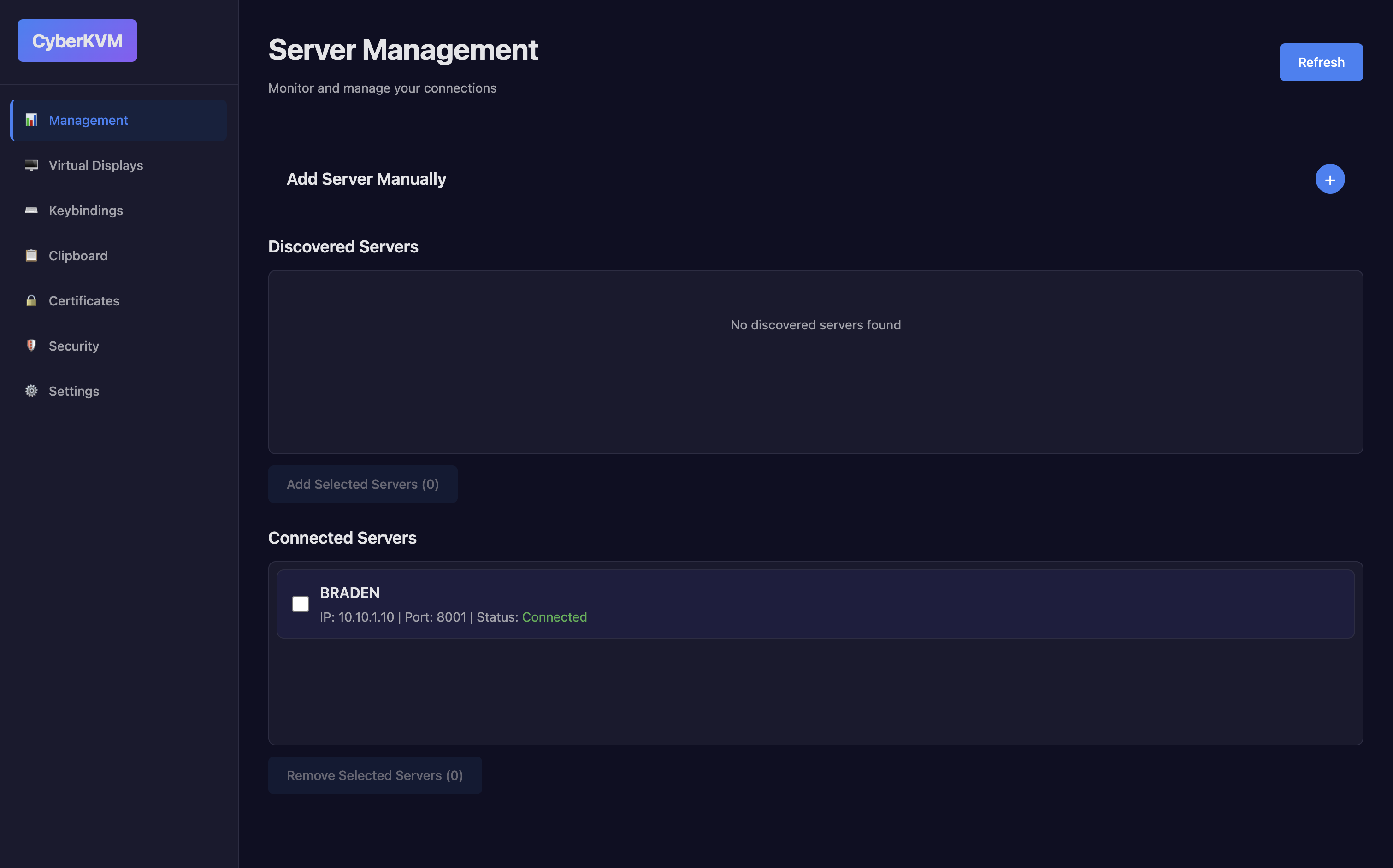
Connect and manage multiple devices. Monitor connection status and manage active sessions.
Advanced Keybindings
Configure custom keybindings and shortcuts to streamline your cross-machine workflow.
Multi-Display Support
Manage multiple displays simultaneously. Switch between displays and configure layouts.
Hot-Plug Support
Hot-plug virtual displays on demand. Service discovery automatically finds other running instances on the network.
Clipboard Sharing
Share and sync clipboard contents across devices. Paste content between machines instantly.
Clipboard Buffer Assignment
Assign clipboard buffers to specific targets for predictable cross-host clipboard behavior.
Settings & Preferences
Fine-tune application behavior, appearance, and defaults from a centralized settings page.
Local Certificates & Security
Manage local SSL certificates and review encryption settings to secure your connections.
Architecture
How it works.
OS-level event interception over a local socket. No cloud, no middleman.
Your Machine
Remote Machine
OS hook intercepts before processing
Sends sync data back
01
Launch on both machines
Run CyberKVM on any machines you want to connect. Each instance advertises itself over Bonjour — peers appear automatically on the same network, no IP configuration needed.
02
Select and connect
Open the Connections page and pick a discovered peer. CyberKVM negotiates a secure local socket, verified with SSL certificates you manage from within the app.
03
OS-level control
OS hooks intercept your mouse and keyboard events before the local OS processes them. Events stream to the remote machine and are injected at the same level — seamless and low-latency.
Screenshots
See it in action
A look at the CyberKVM interface across every major view.
Connection Management
Monitor and manage device connections
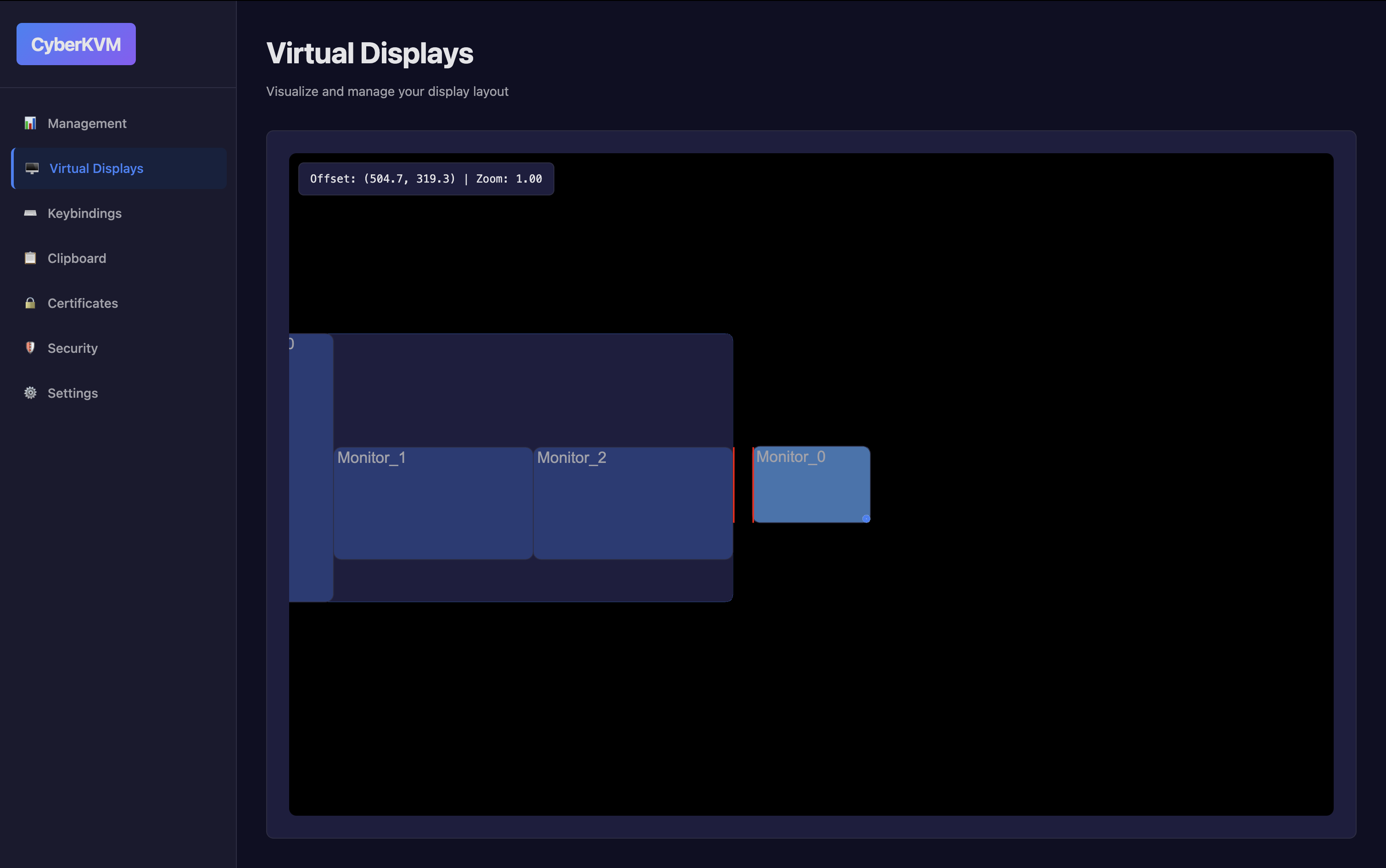
Display Management
Configure and manage virtual displays
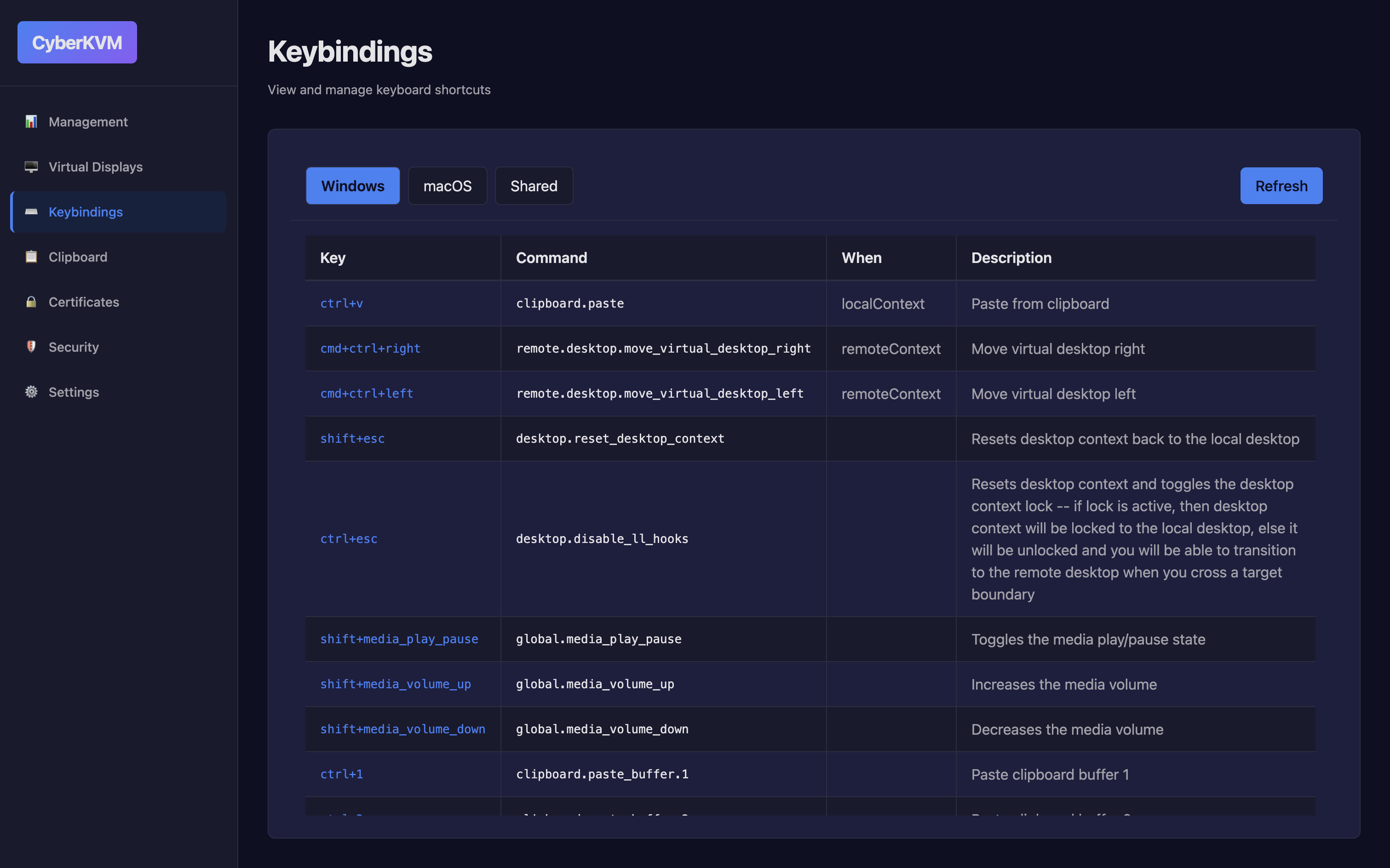
Keybinding Configuration
Create custom keybindings and shortcuts
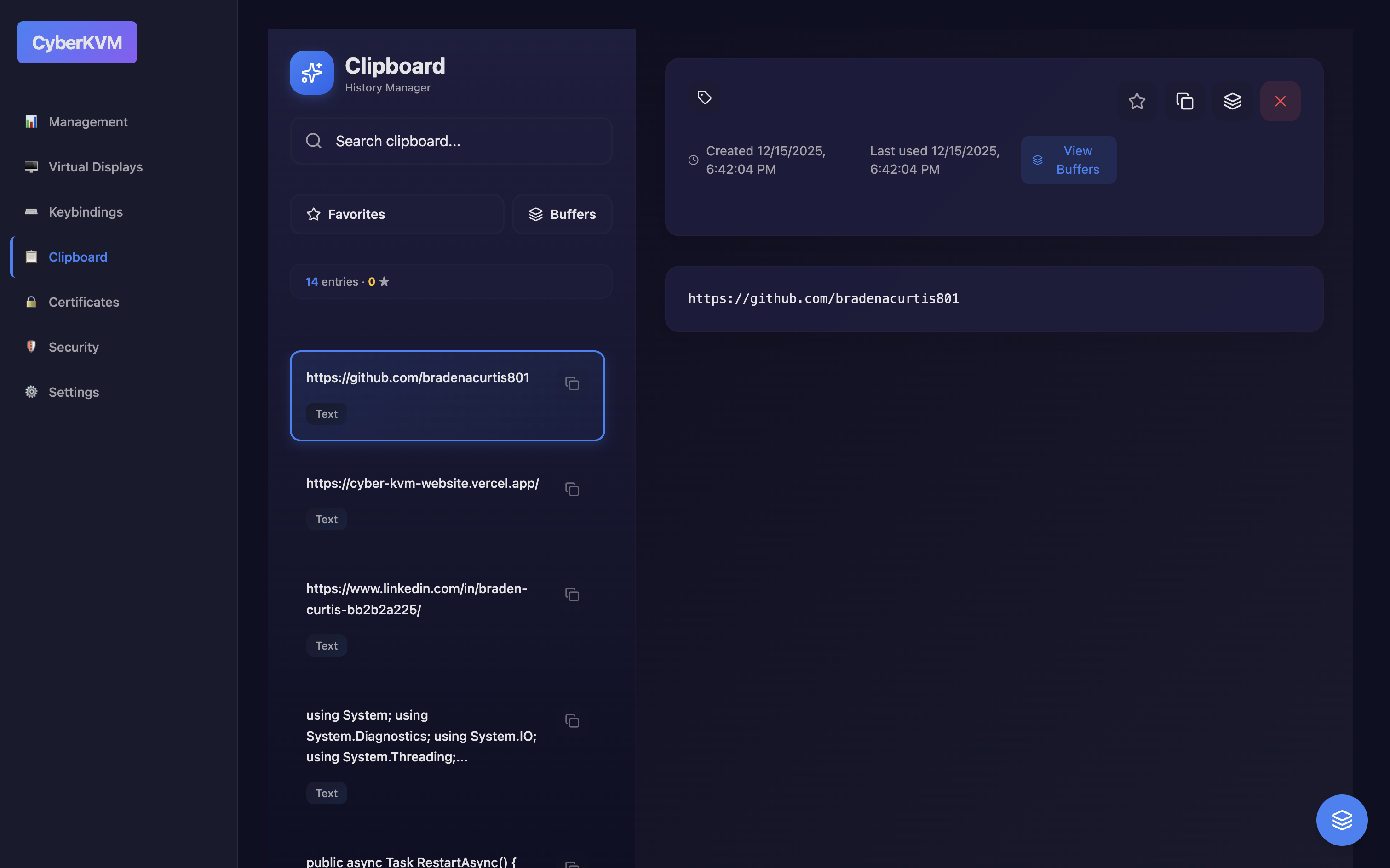
Clipboard View
View and manage clipboard contents
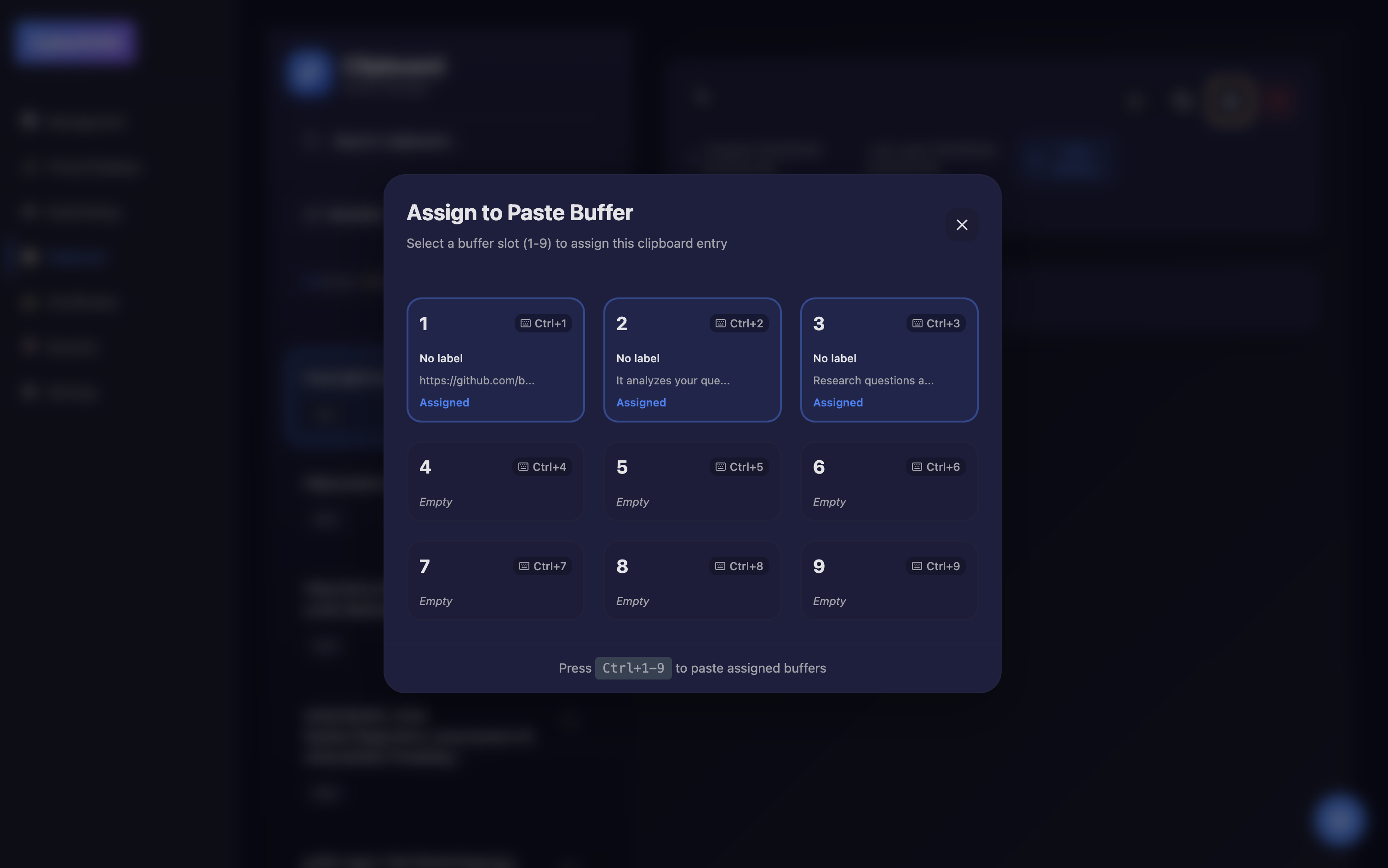
Assign Clipboard Buffer
Assign clipboard buffers between machines
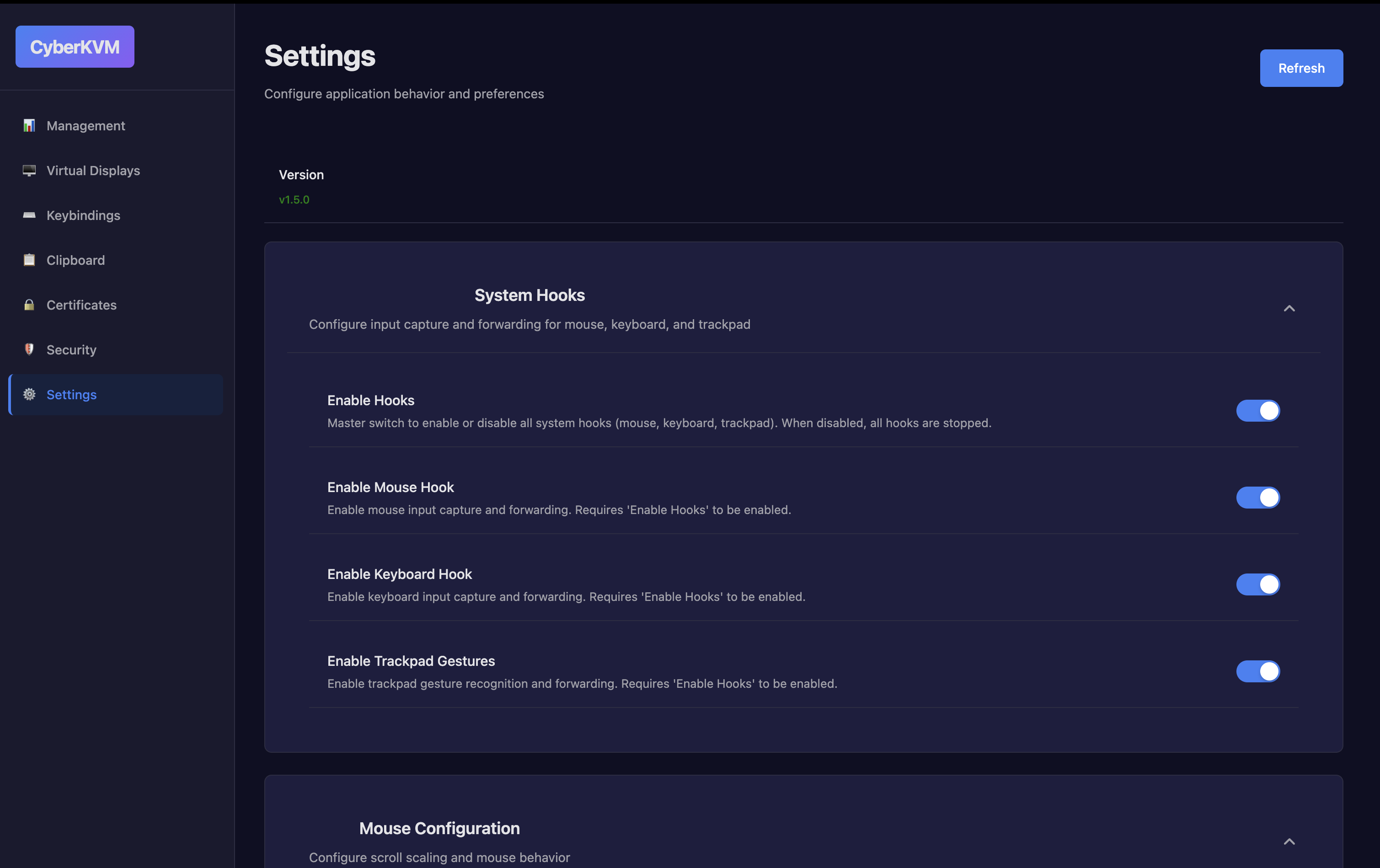
Settings
Configure application preferences
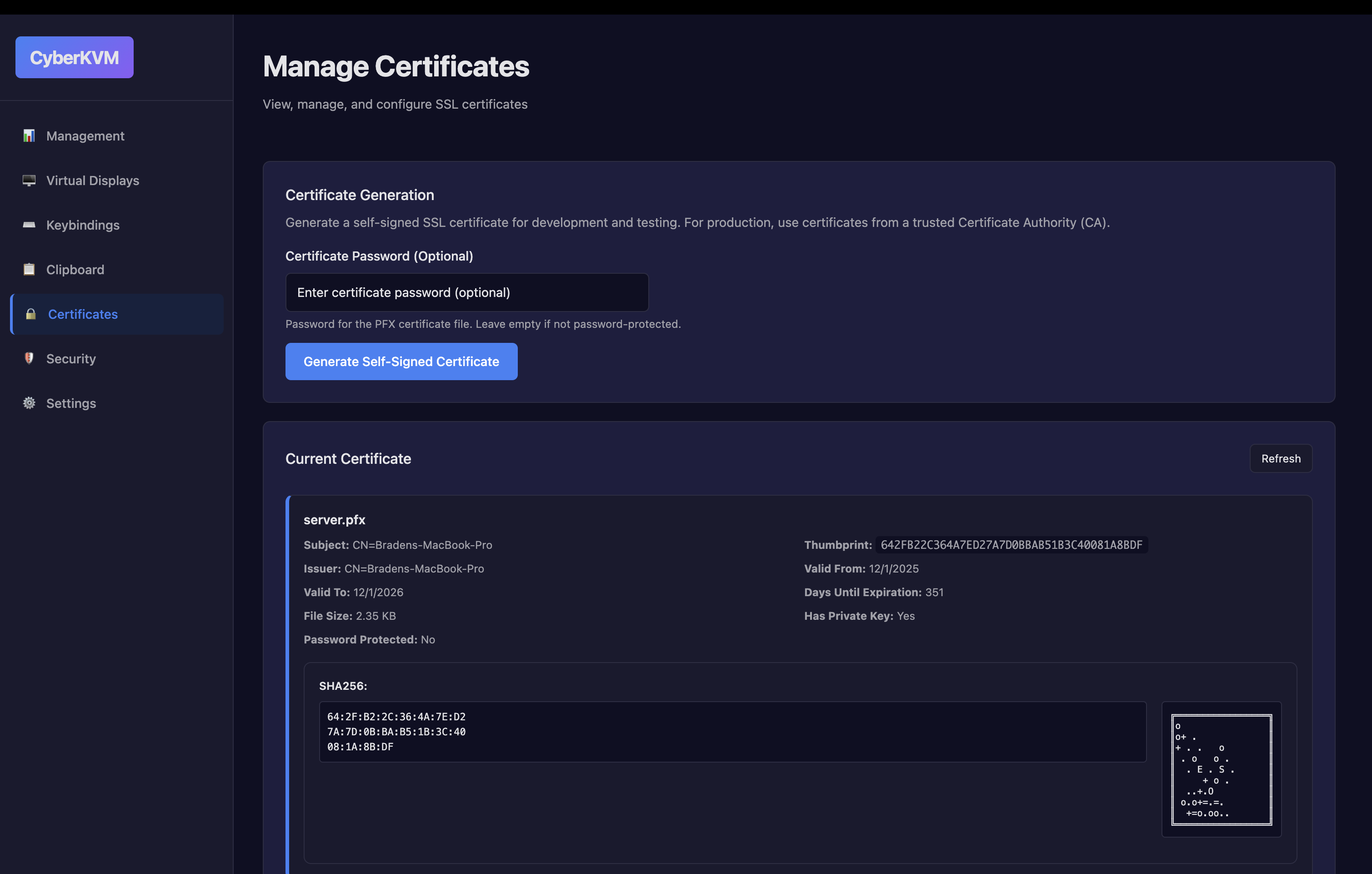
Certificates
Manage local certificates and trust
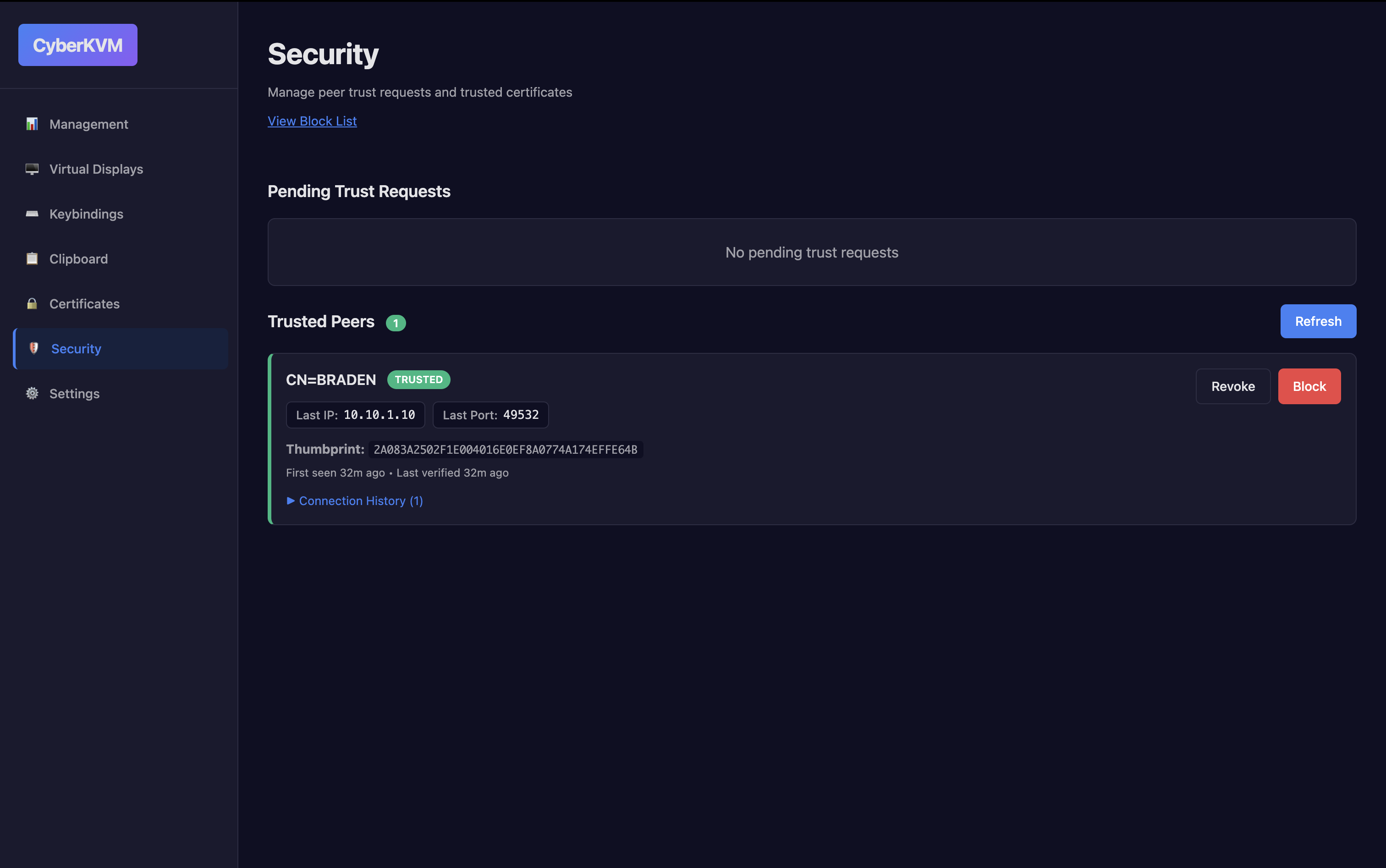
Security
Security settings and encryption options
Demo
Watch it work
A walkthrough of the core features.
Download
Get CyberKVM
Free download. Available for Windows, macOS, and Linux.
System Requirements
Windows
- Windows 10 or later
- 200 MB free storage
- Administrator privileges
macOS / Linux
- macOS 10.14+ or Linux
- 200 MB free storage
- System permissions for display management
Contact
Get in touch
Reach out with questions, bug reports, or feature requests.